
Custom Domain
Let's create a Custom Domain with us!
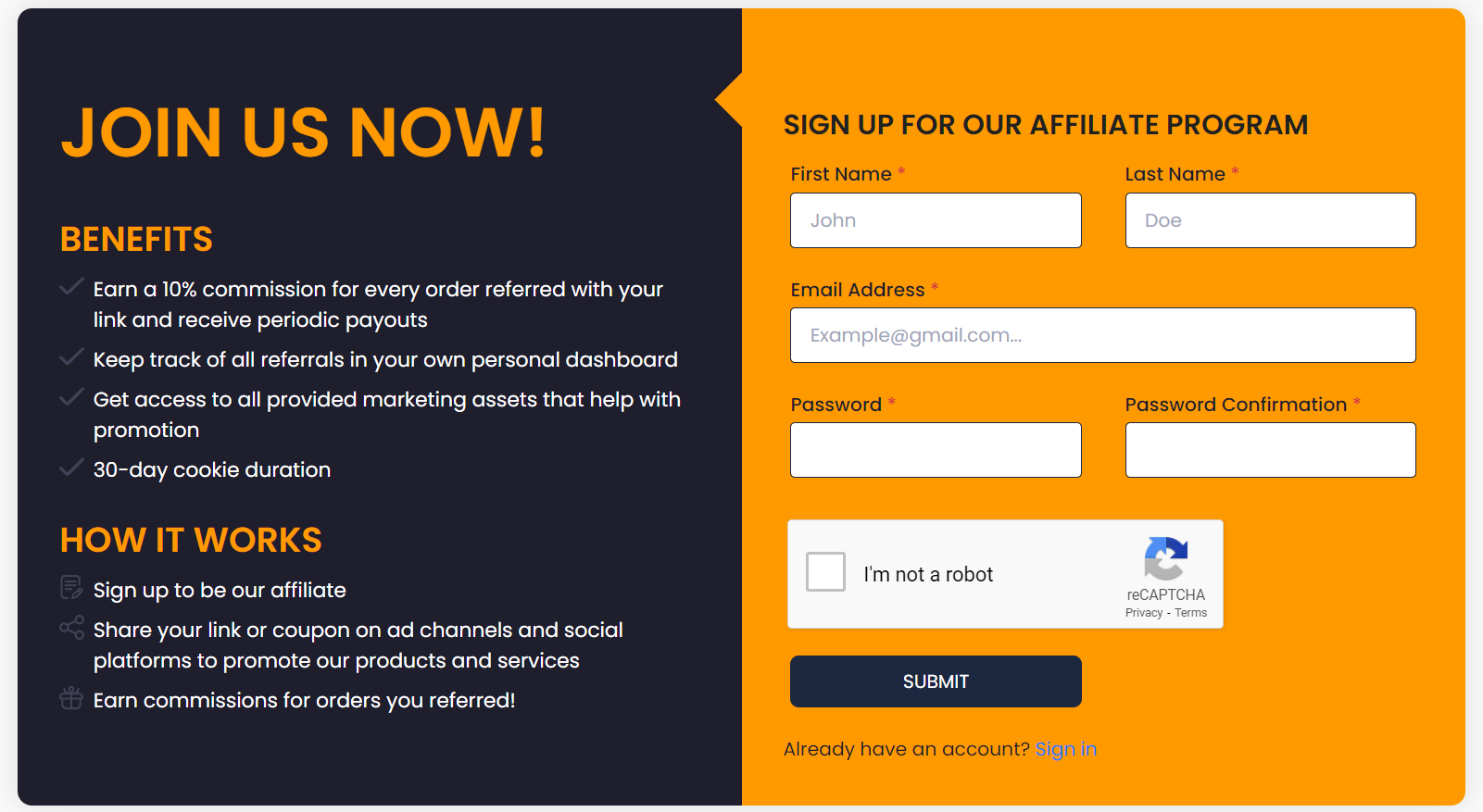
By default, your affiliate portal exists on our subdomain (e.g. yourdomain.bixgrow.com). Our PRO plan allows you to use a Custom Domain instead (e.g. affiliate.yourdomain.com) so that you're not only able to remove “bixgrow.com” from the URL and completely white-label BixGrow, but also display your affiliate portal in a more personalized and branded way.
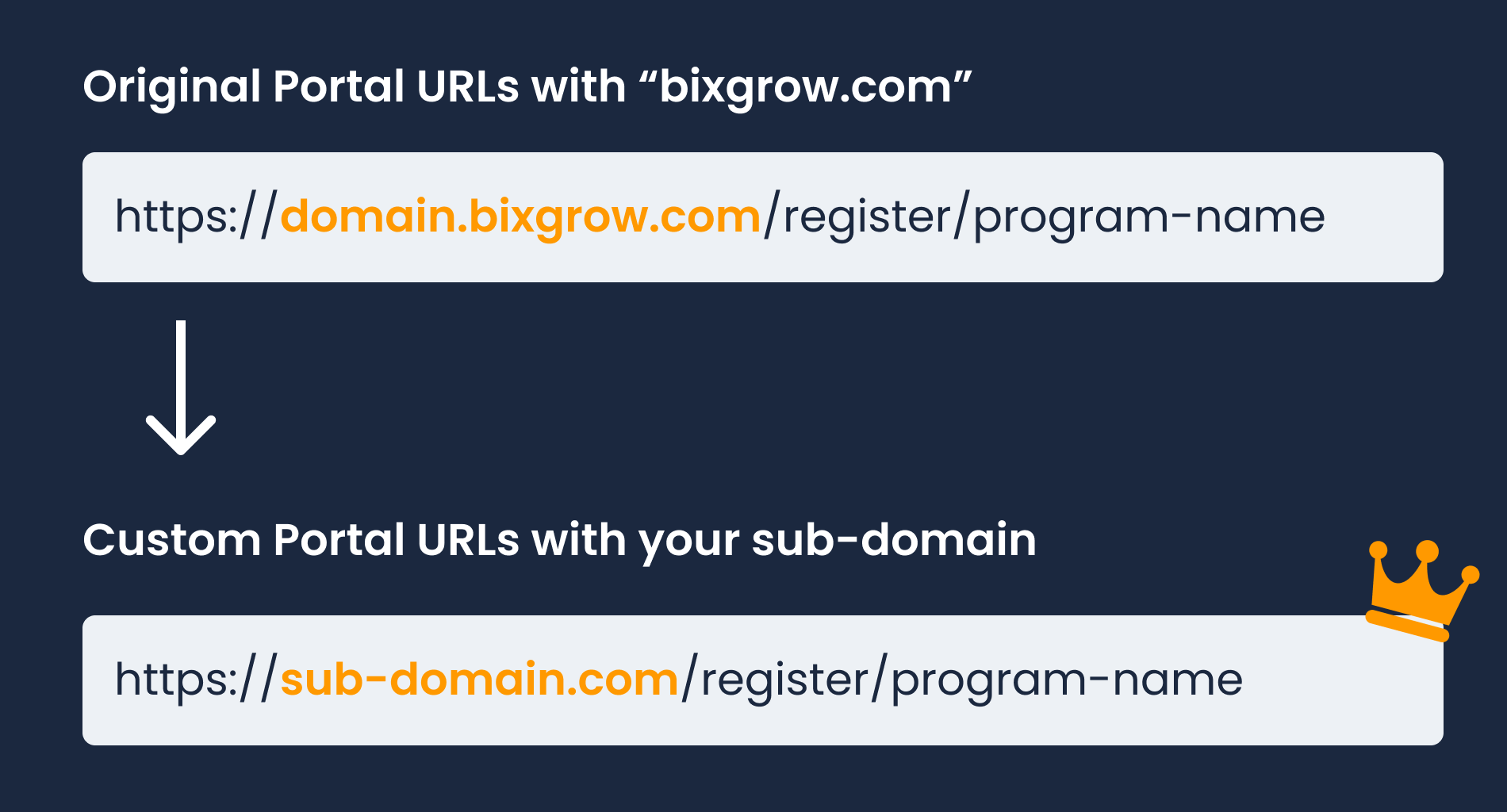
There are some preparations you can make before contacting us so that the process will take the least time:
1. Create a CNAME record
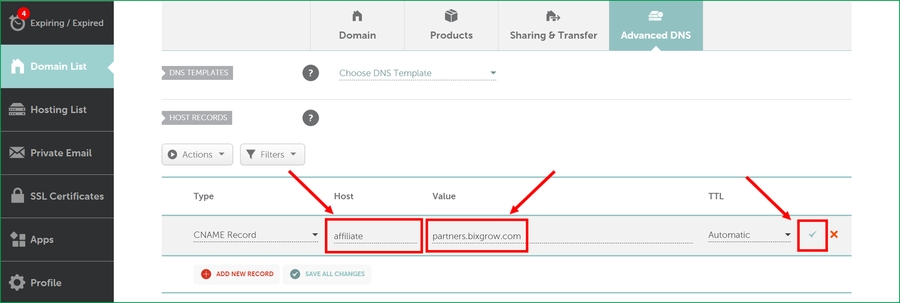
Create a CNAME for your desired domain (e.g. affiliate.yourdomain.com) that points to partners.bixgrow.com.
Your CNAME must point to affiliate.yourdomain.com and NOT your Shopify domain (e.g. yourdomain.com) because each domain can only point to ONE site.
Example
Shopify
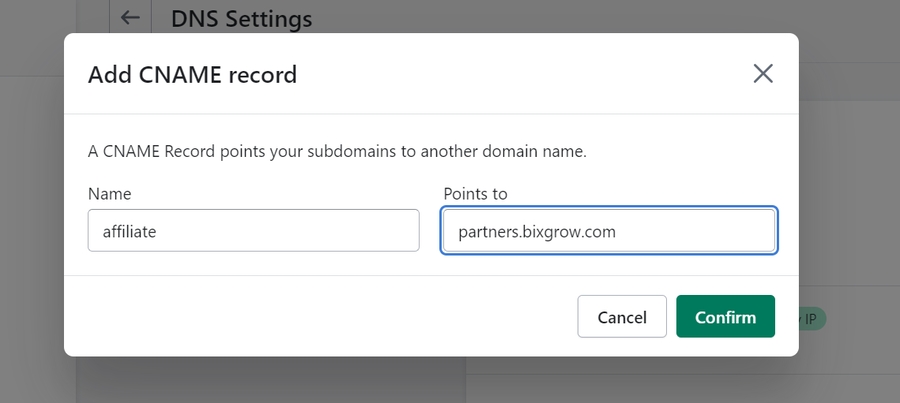
If your domain name registrar is Shopify, please go to Shopify > Settings > Domains and click on it.
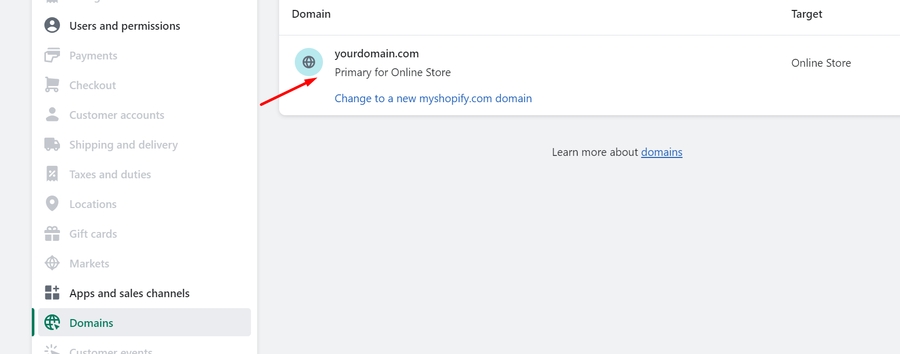
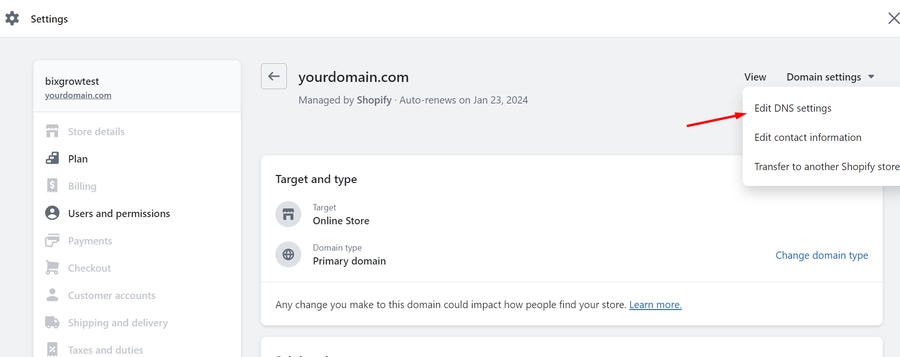
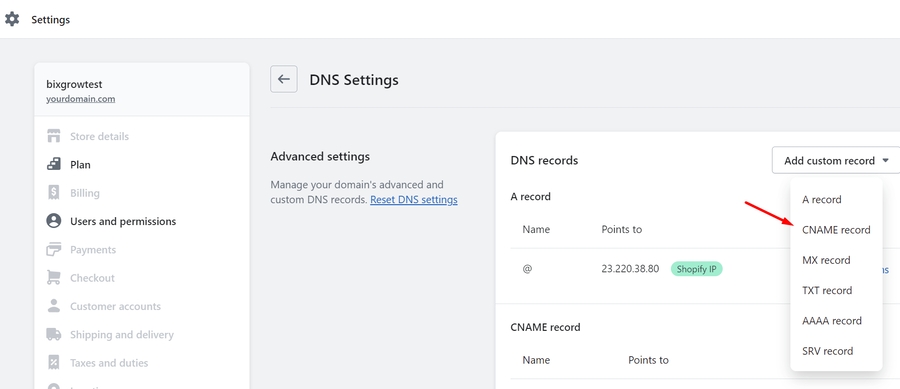
Here, add a CNAME record named affiliate that points to partners.bixgrow.com.
GoDaddy
If your domain name registrar is GoDaddy, please go to GoDaddy > Account Settings > My Products and click on it.
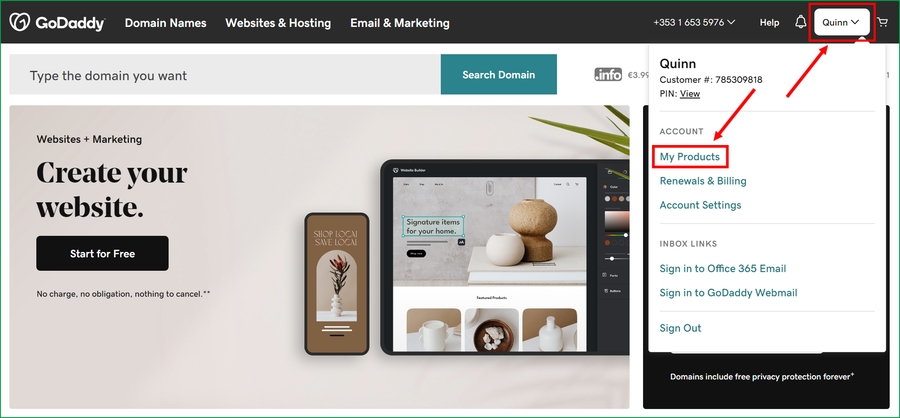
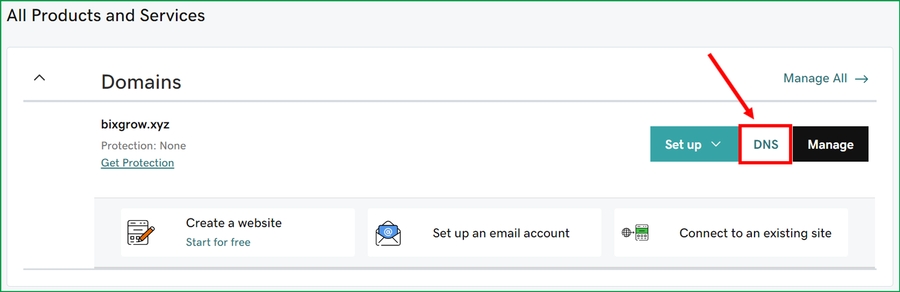
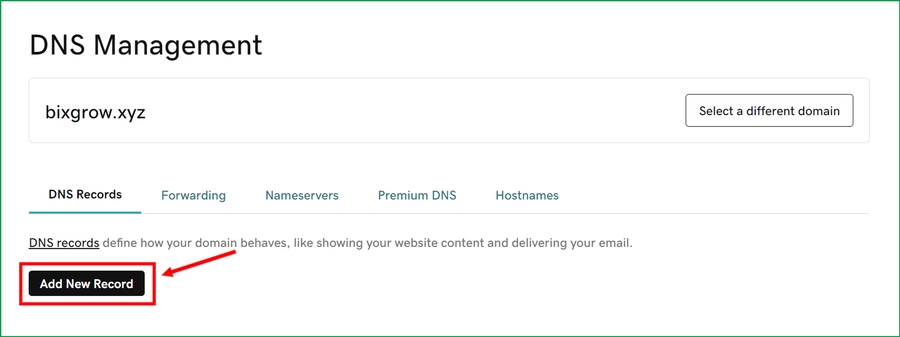
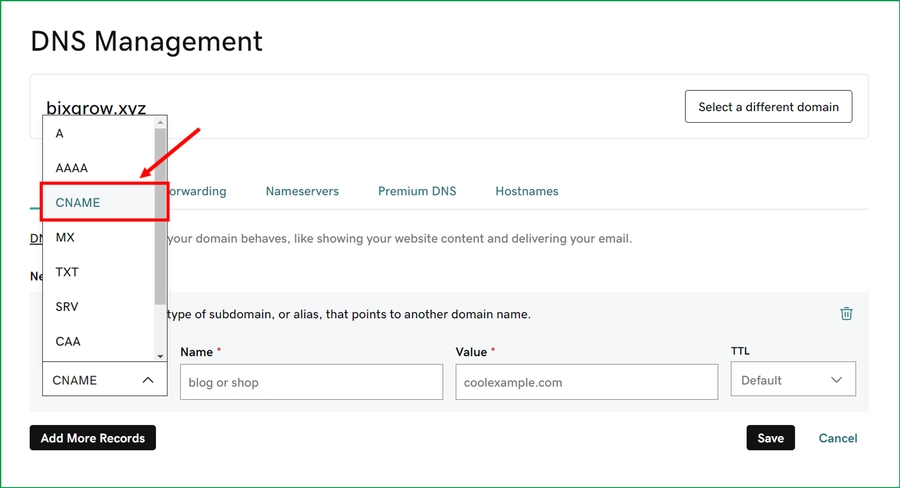
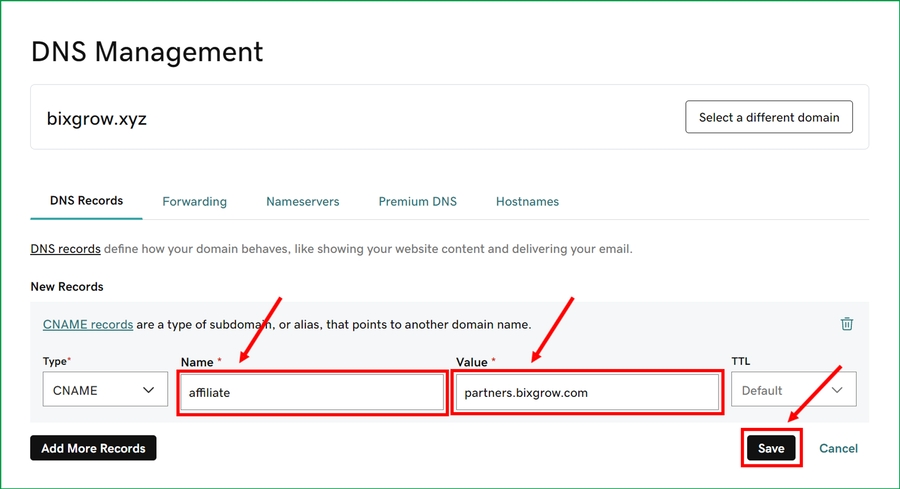
Here, add a CNAME record named affiliate whose value is partners.bixgrow.com.
Namecheap
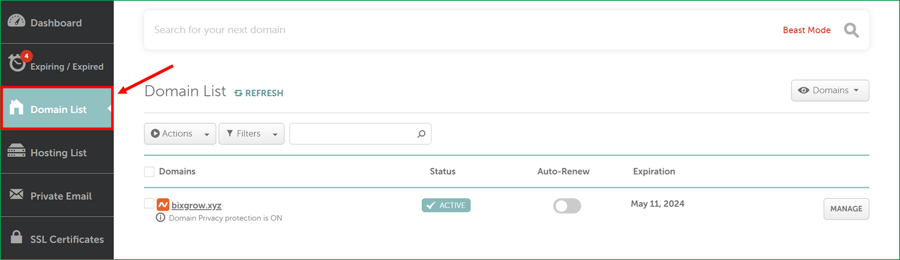
If your domain name registrar is Namecheap, please go to Namecheap > Domain List and click on it.
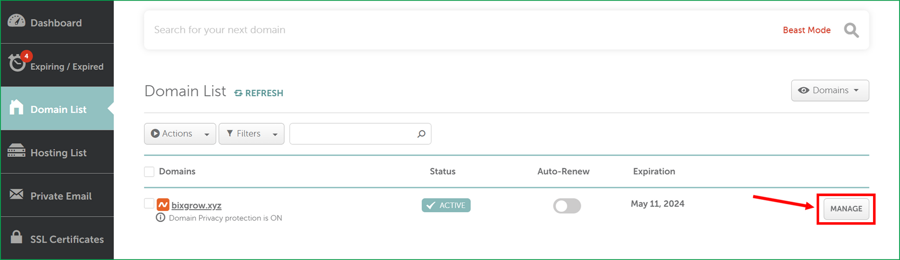
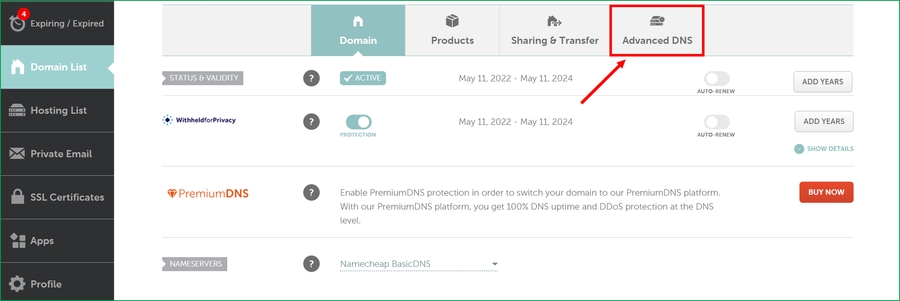
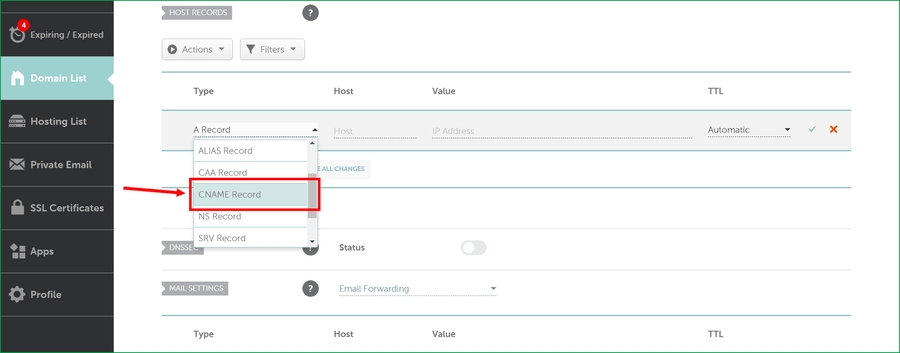
Here, add a CNAME record hosted by affiliate whose value is partners.bixgrow.com.
Name.com
If your domain name registrar is Name.com, please go to Name.com > My Domains and click on it.

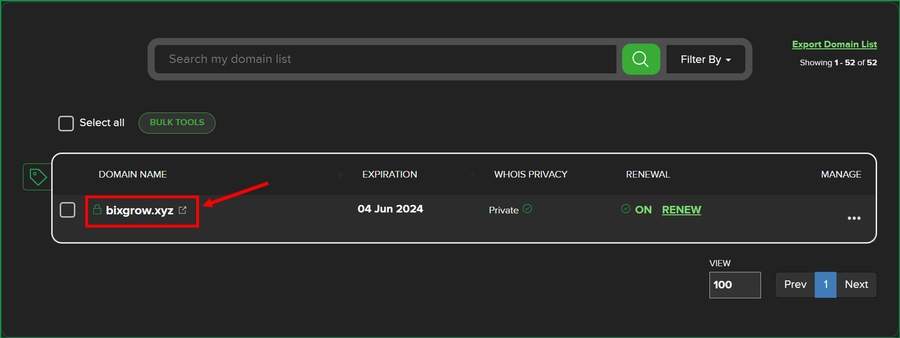
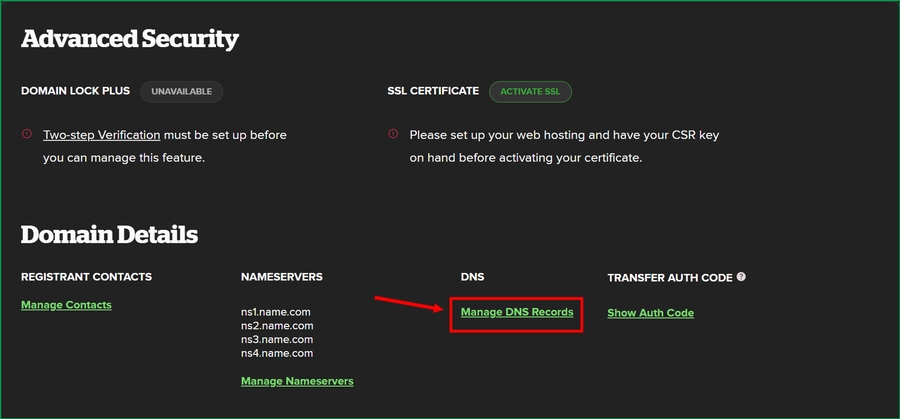
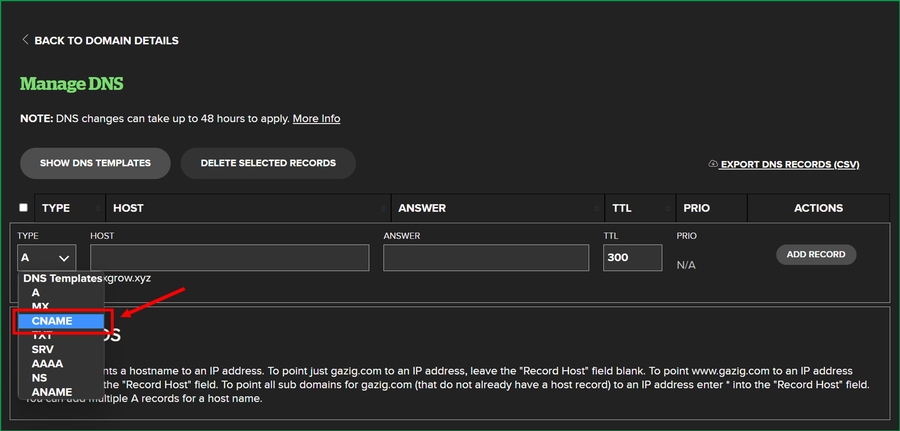
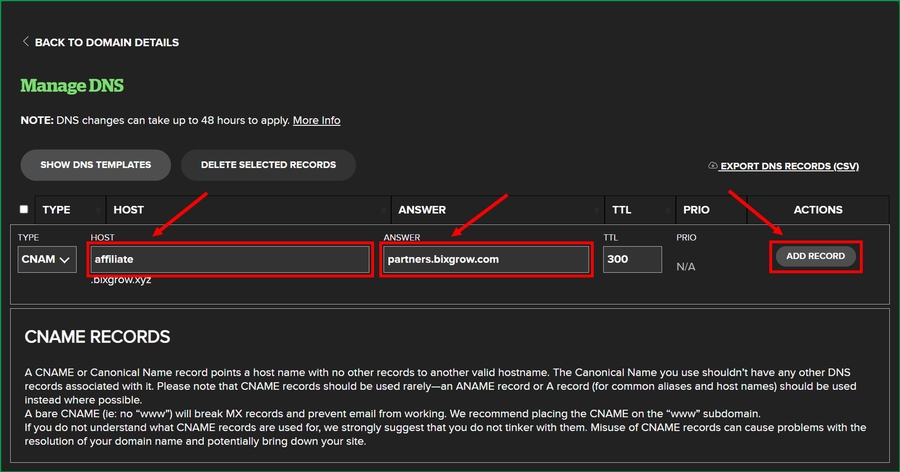
Here, add a CNAME record hosted by affiliate whose answer is partners.bixgrow.com.
Cloudflare
If your domain name registrar is Cloudflare, please go to Cloudflare > Websites and click on it.
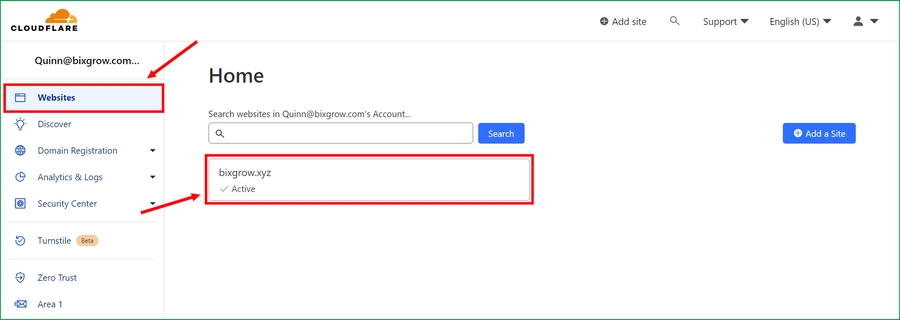
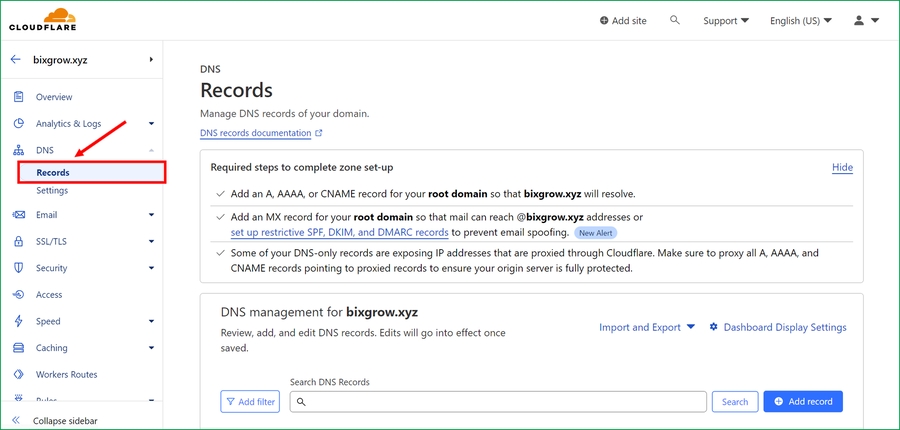
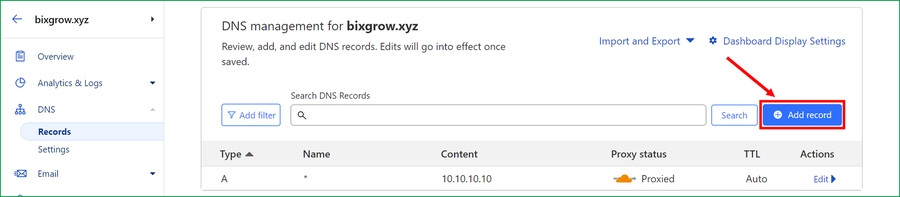
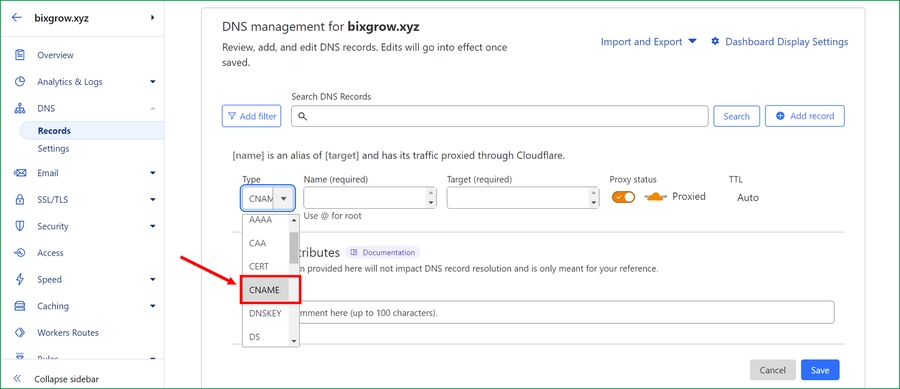
Here, add a CNAME record named affiliate whose target is partners.bixgrow.com.
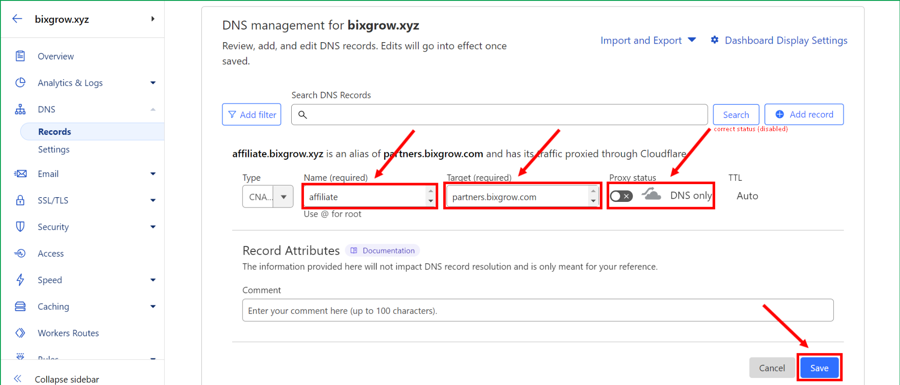
If you already added a CNAME whose Proxy status is Proxied and not DNS only, please edit it here:
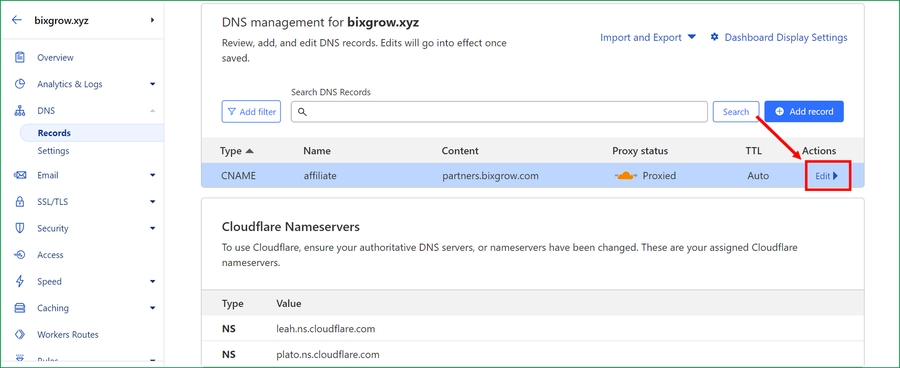
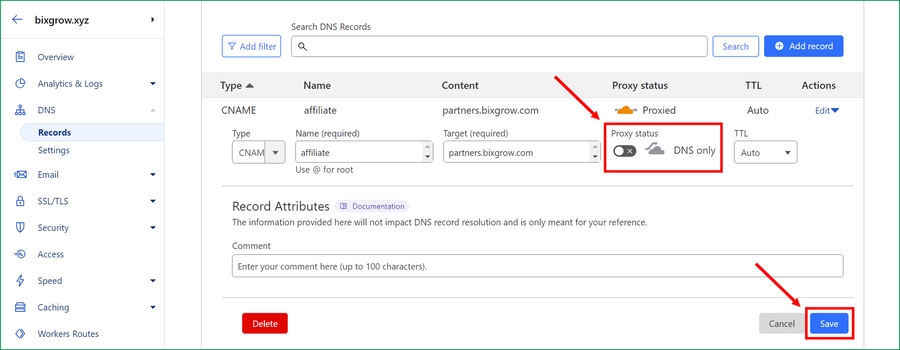
Please note that DNS changes can take up to 48 hours to apply.
2. Check your CNAME record
Use a CNAME lookup tool (like this) to double-check your CNAME.
✅ Your CNAME is correct:
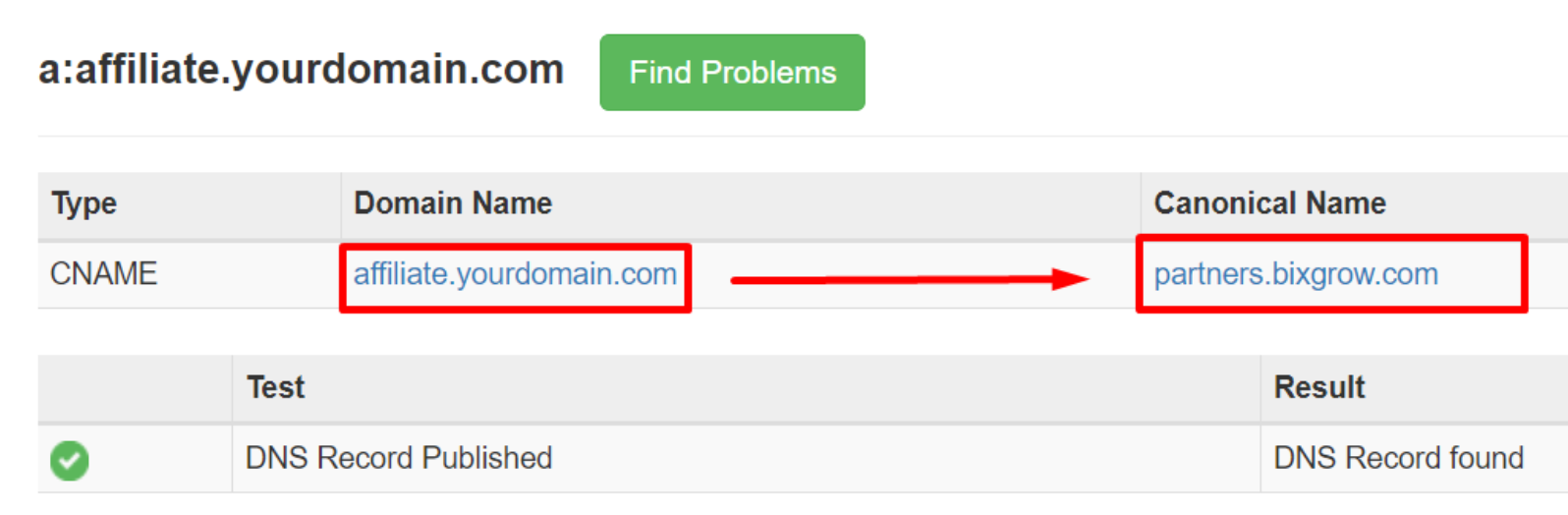
⛔️ Your CNAME is incorrect:
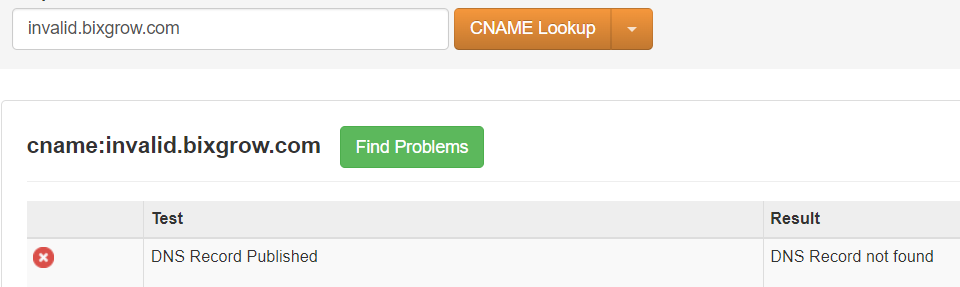
If you're having trouble setting up the CNAME, please contact your domain name registrar for further assistance.
3. Contact us
Once you've completed the preparation steps above and your CNAME record is correct, contact our Developer team and we'll finish the setup for you! It generally takes up just a couple of minutes.
Example
Last updated