> For the complete documentation index, see [llms.txt](https://docs.bixgrow.com/llms.txt). Markdown versions of documentation pages are available by appending `.md` to page URLs; this page is available as [Markdown](https://docs.bixgrow.com/affiliate-coupons/anti-leak-coupons.md).
# Anti-leak coupons
This coupon type offers a secure way to provide discounts without exposing public coupon codes that can leak onto coupon websites.
Anti-Leak Coupons make discount management easier because you don’t need to create or handle any coupon codes. Customers automatically get the discount only when they visit your store through an affiliate’s link, which helps prevent misuse and keeps discounts from leaking onto coupon sites. It’s an ideal option for brands that want strict control over how discounts are used.
## How to assign Anti-leak coupons to affiliates
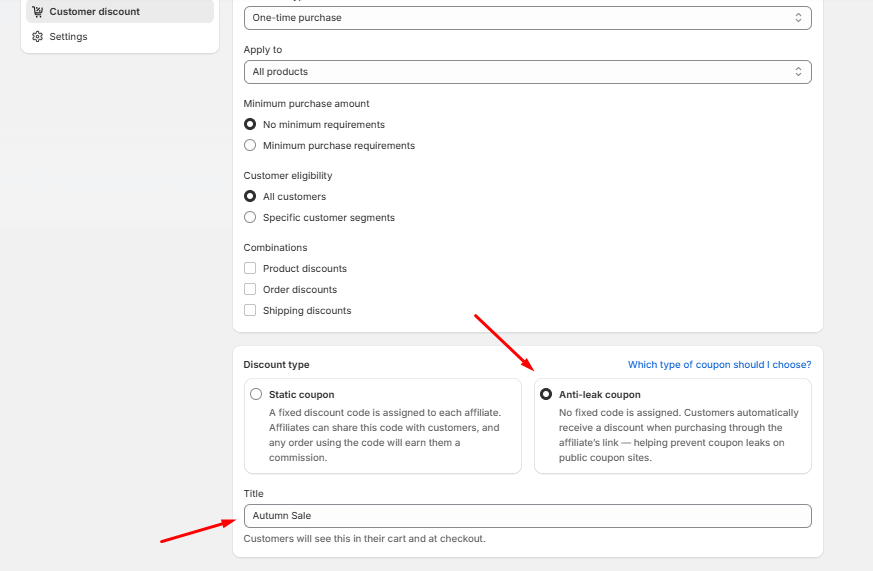
To enable Anti-Leak Coupons for your affiliates, go to **Program > Edit Program > Customer Discount**
By choosing Anti-Leak Coupons, each affiliate’s link becomes the trigger for the discount; no fixed code is created or shared. This prevents coupon leakage and guarantees that only sales generated through an affiliate’s link receive the discount.
## Set discount value and rules
The discount settings for Anti-Leak Coupons work the same way as Static Coupons. For detailed instructions, you can refer to the guide here:
[**Configure Discount Values and Rules**](https://docs.bixgrow.com/affiliate-coupons/static-coupons#set-discount-value-and-rules)
## How affiliates share Anti-leak coupons
Affiliates need to log in to the **affiliate dashboard** to get their unique affiliate link. Once logged in, they can copy their link and share it anywhere they normally promote your brand, such as social media, blog posts, videos, or email campaigns.
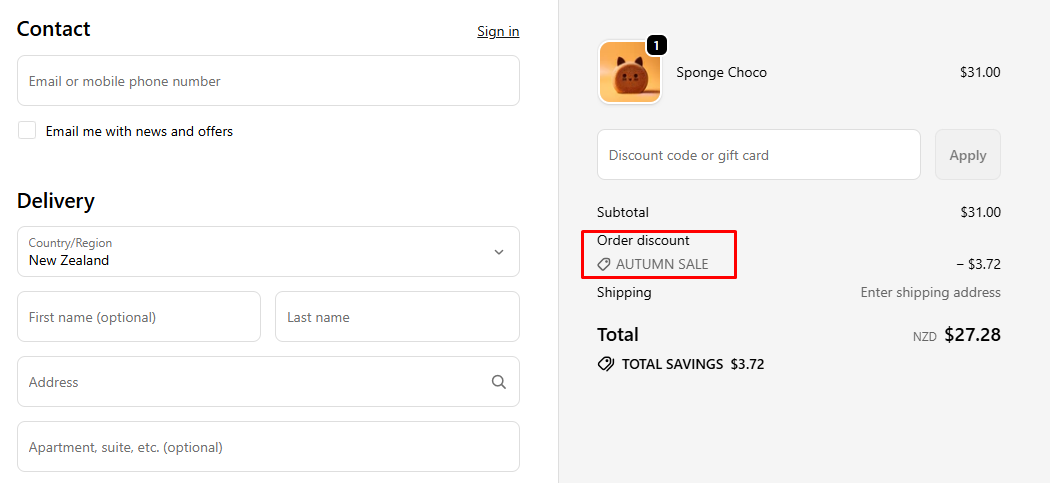
When customers click the affiliate link and visit your store, the coupon is automatically detected and applied during checkout. Customers will see the discount reflected in their order summary without needing to enter any code manually.
{% hint style="warning" %}
When you enable **Anti-leak coupons**, all previously assigned static coupons will be hidden from the affiliate dashboard. Additionally, you will not be able to manually assign new coupons to affiliates while this feature is active.
{% endhint %}